
Google Workspace Business Email Migration & Management
Professional business email deployment with secure migration, DNS configuration, Outlook integration, and centralized administration.
ARCHITECTURAL LOG
REV: 02.4.1Google Workspace Business Email Migration & Management
Migrating from a personal Gmail account to Google Workspace Business Email is much more than changing an email address—it's about creating a secure, professional, scalable, and centrally managed communication platform that grows alongside your business. A professional email address such as [email protected] not only strengthens your brand identity but also builds trust with customers, improves email deliverability, and provides powerful collaboration tools for your entire team.
This project focused on delivering an end-to-end Google Workspace migration and business email setup for organizations looking to move away from personal Gmail accounts without disrupting their day-to-day operations. Every stage of the migration was carefully planned to ensure that business communications continued seamlessly while employees transitioned to the new platform.
Unlike a simple email account setup, the implementation included Google Workspace deployment, domain verification, DNS configuration, Outlook integration, Google Admin Console configuration, email authentication, user management, collaboration setup, and post-migration support, providing businesses with a complete cloud-based communication ecosystem.
The Business Challenge
Many startups and small businesses begin their journey using personal Gmail accounts because they are easy to create and free to use. However, as the business grows, several operational challenges begin to appear.
Without centralized administration, managing multiple employees becomes difficult. Business owners cannot easily create or remove users, enforce security policies, recover accounts, or control company data. Using personal email addresses also creates an unprofessional impression, reducing customer confidence and affecting brand credibility.
Another major challenge is email migration itself.
Business owners often worry about:
- Losing important customer enquiries.
- Missing ongoing email conversations.
- Customers continuing to send emails to the old Gmail account.
- Business downtime during migration.
- Incorrect DNS configuration affecting email delivery.
- Outlook synchronization issues.
- Spam and email authentication problems.
These concerns often delay businesses from upgrading to a professional email infrastructure.
Our Solution
To eliminate these risks, a structured Google Workspace Business Email Migration Strategy was implemented.
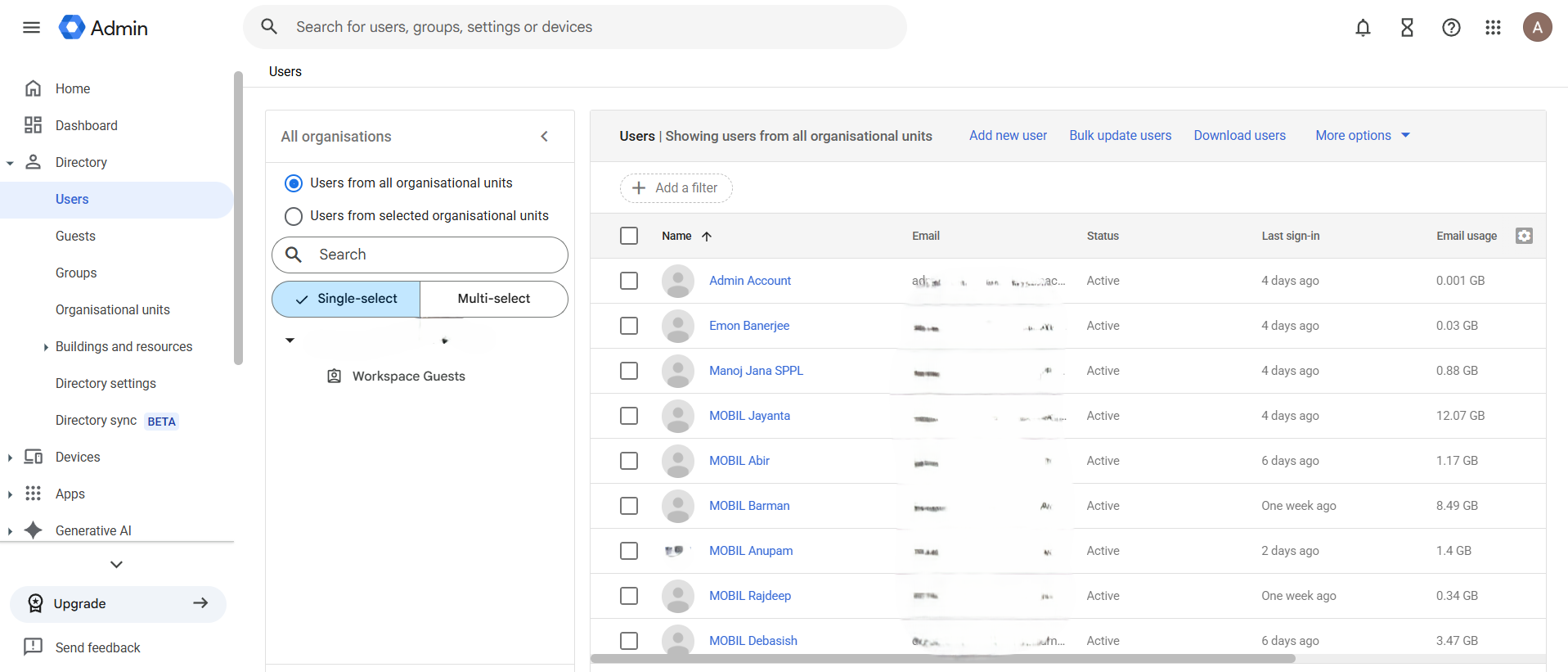
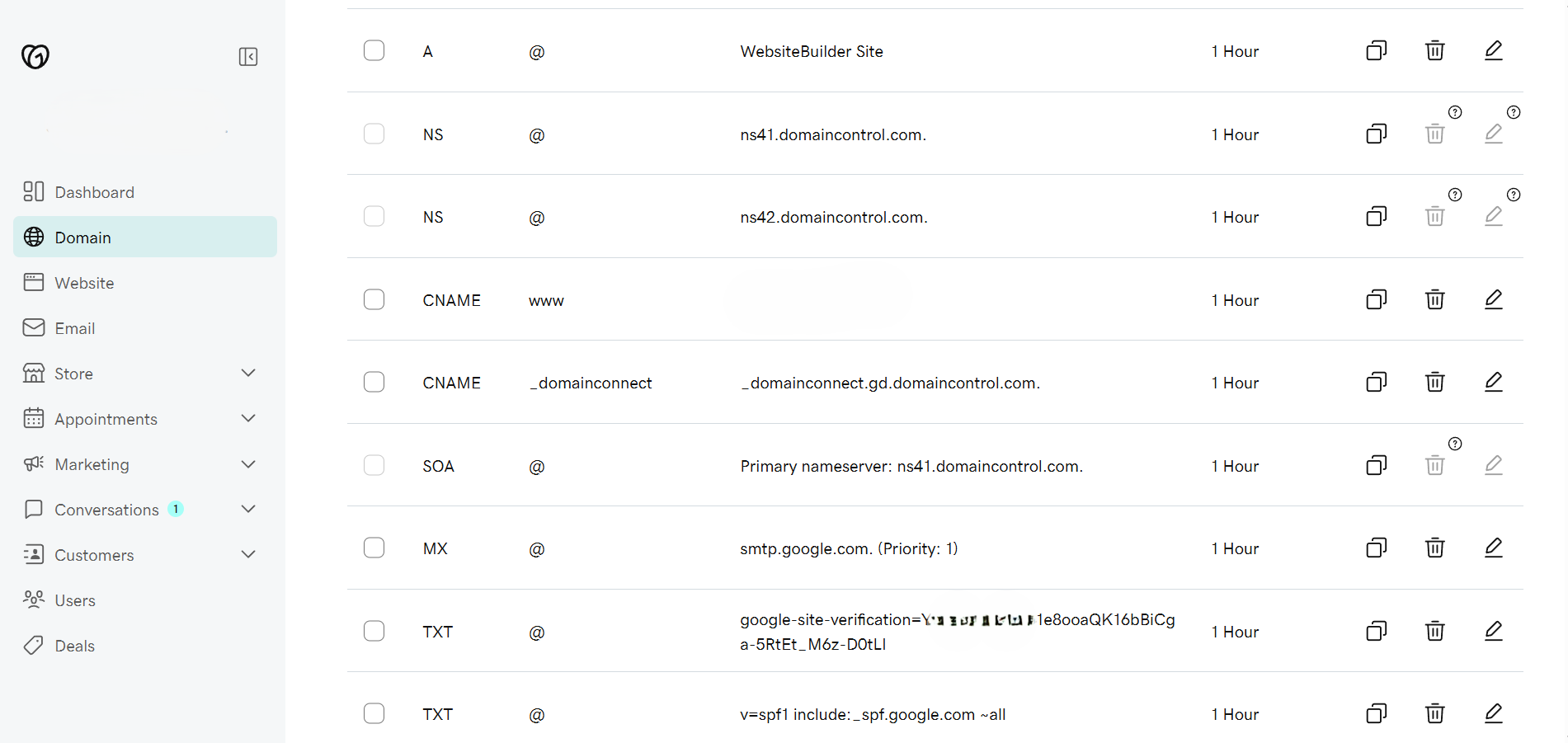
The migration process began with deploying Google Workspace, verifying domain ownership, configuring organizational settings, and creating user accounts using the Google Admin Console. DNS records were then configured through Cloudflare, including MX Records, SPF, DKIM, and DMARC, ensuring secure email delivery while protecting the domain from spoofing and phishing attacks.
One of the most critical parts of the migration was ensuring zero interruption to business communication.
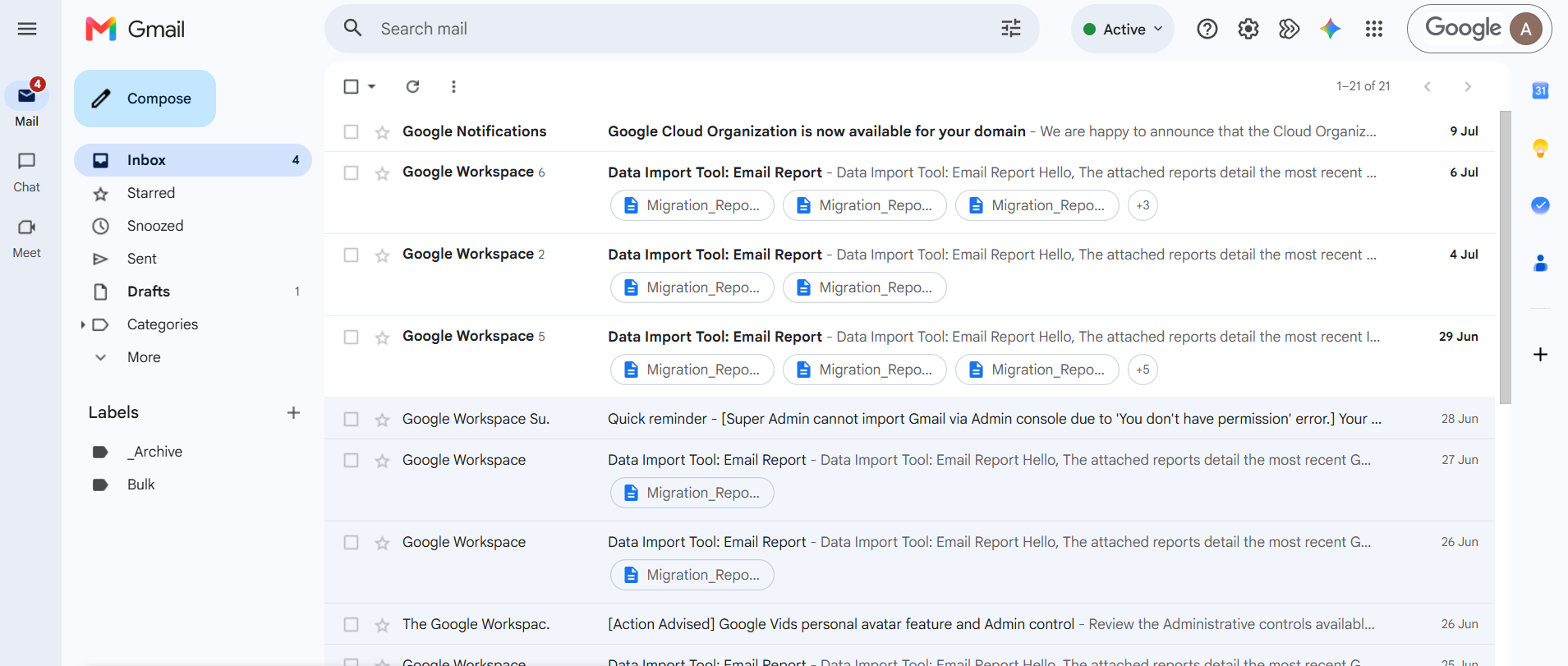
Instead of immediately abandoning the existing Gmail account, automatic email forwarding was configured so that every email received on the old email address was instantly delivered to the newly created Google Workspace mailbox. This ensured that no customer enquiries, quotations, or important business communications were lost during the transition.
To further improve the migration experience, customized auto-reply messages were configured on the legacy Gmail account. Whenever a customer sent an email to the previous address, they automatically received a professional notification informing them that the organization had migrated to a new official business email address while assuring them that their message had been received successfully.
This simple yet highly effective strategy allowed businesses to gradually educate their customers about the new email address without disrupting existing communication.
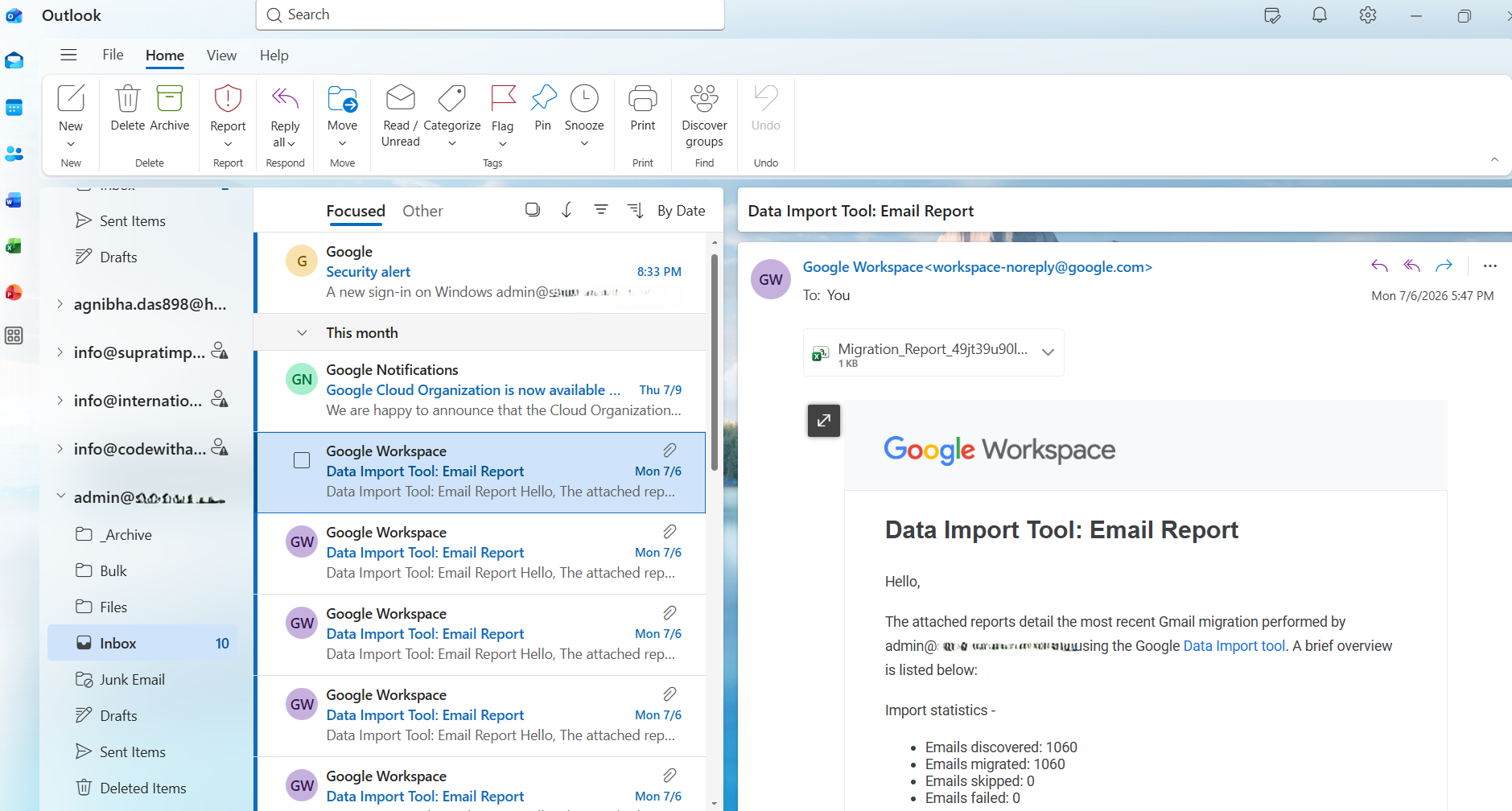
For organizations already using Microsoft Outlook, complete Outlook integration was also configured, allowing employees to continue using their familiar desktop email client while synchronizing seamlessly with Google Workspace.
What Was Configured
The project included the complete deployment and configuration of the Google Workspace ecosystem, including:
- Google Workspace Business Email Setup
- Business Email Migration from Personal Gmail
- Custom Domain Email Configuration
- Google Admin Console Setup
- Domain Ownership Verification
- Cloudflare DNS Configuration
- MX Record Configuration
- SPF Implementation
- DKIM Configuration
- DMARC Policy Setup
- Email Routing Configuration
- Automatic Email Forwarding
- Custom Auto-Reply Configuration
- Microsoft Outlook Integration
- Gmail Web Configuration
- Mobile Device Configuration
- User & Group Management
- Email Alias Configuration
- Google Drive Setup
- Google Calendar Configuration
- Google Contacts Synchronization
- Shared Collaboration Environment
- Two-Factor Authentication Setup
- Business Email Security Configuration
- Post-Migration Administrative Support
Technical Challenges & Resolution
Every business has a different email infrastructure, making no two migrations exactly the same. One of the biggest technical challenges was ensuring a smooth transition without interrupting customer communication or affecting email deliverability.
DNS propagation can take several hours, and incorrectly configured SPF, DKIM, or DMARC records may result in emails being marked as spam or rejected entirely. Additionally, many organizations continued receiving enquiries on their old Gmail accounts long after the migration had been completed.
To overcome these challenges, a phased migration strategy was adopted. Existing email accounts remained active while automatic forwarding ensured every incoming email reached the new business mailbox. Auto-reply notifications guided customers toward the updated email address, allowing the organization to transition naturally over time.
Every DNS configuration was validated before deployment, email authentication records were tested thoroughly, and Outlook synchronization was verified across user devices before the migration was considered complete.
This careful planning significantly reduced migration risks while maintaining uninterrupted business operations.
Benefits of Google Workspace Business Email
Migrating to Google Workspace provides far more than just a professional email address.
Businesses gain a centralized administration platform through the Google Admin Console, allowing administrators to manage users, assign licenses, reset passwords, control storage, enforce security policies, and monitor organizational activity from a single dashboard.
Employees benefit from Google's integrated productivity suite, including Gmail, Google Drive, Google Calendar, Google Meet, Docs, Sheets, Slides, and Contacts, enabling secure real-time collaboration whether working remotely or from the office.
Implementing SPF, DKIM, and DMARC significantly improves email authentication, helping reduce spam, improve inbox placement, and strengthen customer trust.
Because Google Workspace is cloud-based, users can securely access business email, documents, calendars, and collaboration tools from desktops, laptops, tablets, or mobile devices without compromising security or productivity.
As the organization grows, additional users, storage, security policies, and collaboration tools can be deployed within minutes, making Google Workspace a highly scalable solution for businesses of every size.
Business Benefits
Migrating to Google Workspace delivers measurable business advantages, including:
- Professional business email addresses using your own domain.
- Improved customer trust and stronger brand identity.
- Centralized administration through Google Admin Console.
- Secure email authentication using SPF, DKIM, and DMARC.
- Better email deliverability and reduced spam issues.
- Automatic forwarding from legacy email accounts.
- Auto-reply notifications to guide customers during migration.
- Seamless Microsoft Outlook compatibility.
- Secure cloud-based email access from anywhere.
- Real-time collaboration using Google Workspace applications.
- Simplified employee onboarding and offboarding.
- Improved productivity with shared calendars, contacts, and Google Drive.
- Reduced IT administration overhead.
- Enterprise-grade security and account management.
- A scalable communication platform that grows with your business.
Typical Migration Timeline
Every business has unique requirements, but a well-planned migration ensures minimal disruption to daily operations.
- Small Businesses (1–10 Users): Typically completed within 1–2 business days.
- Medium Businesses (10–50 Users): Usually completed within 2–5 business days, depending on the complexity of the existing infrastructure.
- Large Organizations: Implemented using a phased migration strategy to ensure uninterrupted communication and a smooth user transition.
The timeline may vary depending on the number of users, domain readiness, DNS propagation, Outlook configuration requirements, and the amount of historical data being migrated.
Why Choose CodeWithAgni
At CodeWithAgni, we don't simply create business email accounts—we design and implement a complete business communication infrastructure tailored to your organization's needs.
From Google Workspace deployment, custom domain email setup, DNS configuration, Outlook integration, email security, and Google Admin Console management to automatic email forwarding, customer notification workflows, and ongoing administrative support, every migration is planned to ensure a secure, reliable, and interruption-free transition.
Whether you're moving from a personal Gmail account, upgrading an existing business email system, or setting up a new organization from scratch, our goal is to deliver a professional, secure, scalable, and future-ready Google Workspace environment that enhances productivity, strengthens your brand, and supports your business as it grows.
Interface & Workflow Specs
Project Info
- CLIENT ENTITY Multiple Business Clients
-
TECHNOLOGY CORE
Google Workspace Google Admin Console Gmail Outlook Microsoft Outlook DNS Management Cloudflare DNS SPF DKIM DMARC MX Records Google Drive Google Calendar